
On this page
Prove allows you to export data in order for you to be able to import this into other tools of your choice.
To export data, follow these steps:
- Navigate to Prove
- Ensure you have set the correct parameters that you would like to see data for, for example the period of time.
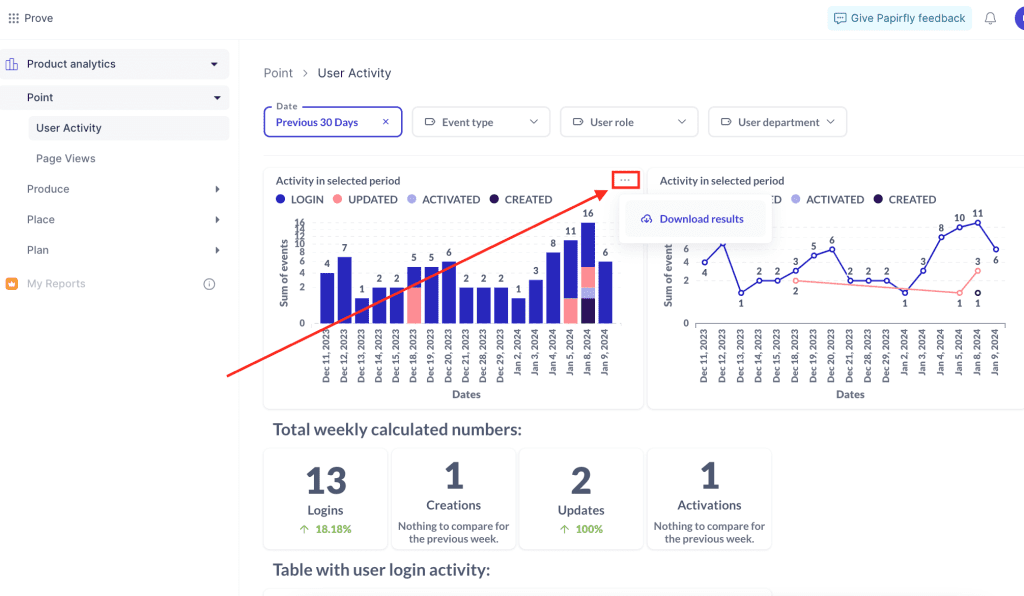
- Hover over one of the graphs displaying data, and three dots should appear in the top right corner of the graph as seen in the screenshot below
- Click on the three dots, followed by Download results
- Select the file format you would like to download
- A file should then start downloading to the download library on your computer
Video showing how to export/download reports in Prove
Comments
0 comments
Please sign in to leave a comment.