
You can export the results of a dashboard and its cards in different ways.
Export dashboard as PDF
You can export a dashboard as a PDF. Click on the three dot menu (…) and select Export as PDF.
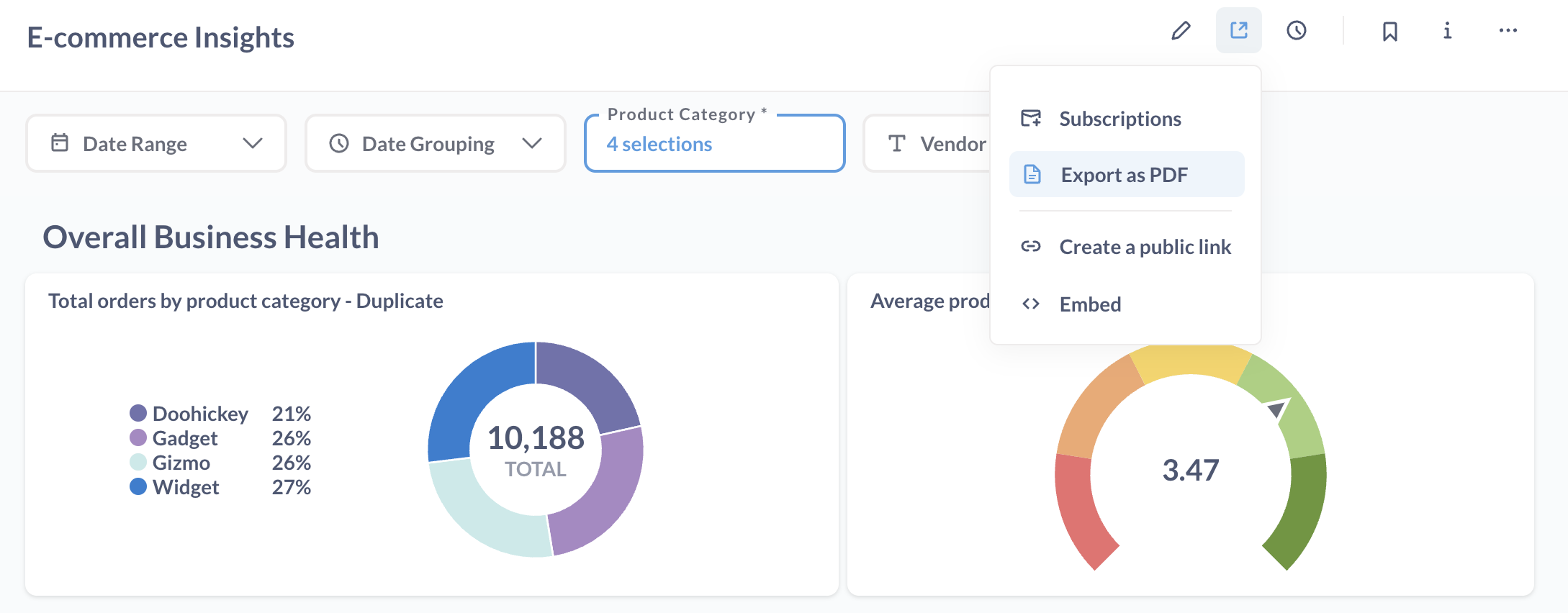
The PDF will only include screenshots of the charts as they are visible on the dashboard.
Exporting dashboard card
To export the results of a particular card, hover over the dashboard card, click on the three dot menu (…), and select Download results.
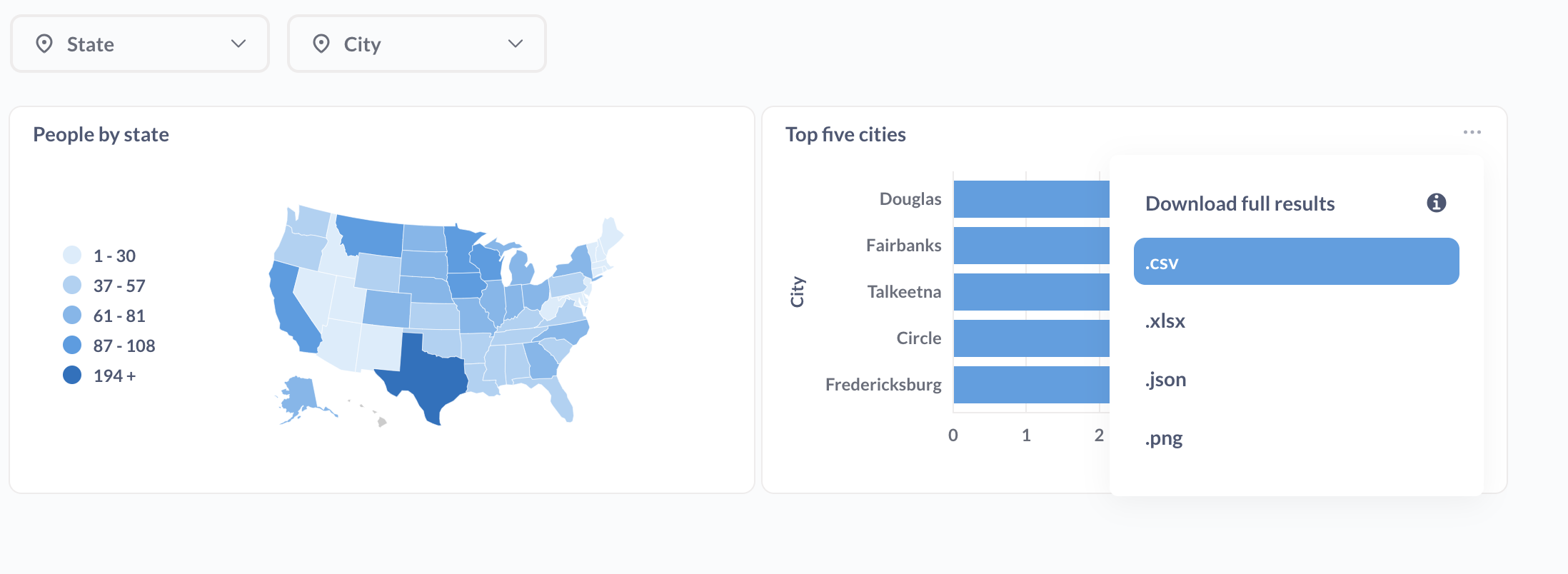
From here you can select:
- .csv
- .xlsx
- .json
- .png (if a chart)
To export the raw, unformatted results, hold down the option key for Macs, or Alt key for Windows, then click on the download file format.
If you don’t see this option, you may not have permissions to download results. If this is the case, contact your superuser.
Exporting via dashboard subscriptions
You can use dashboard subscriptions to regularly export data from all questions on a dashboard, and include those results as an attachment. Go here to read more about dashboard subscriptions.
Comments
0 comments
Please sign in to leave a comment.