
On this page
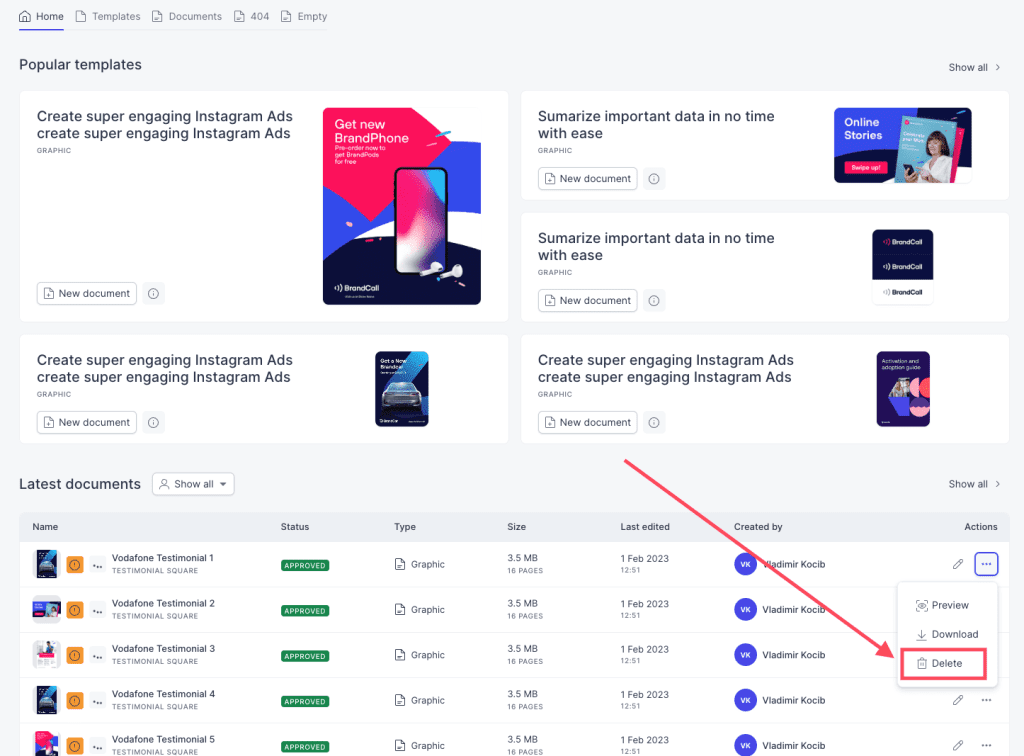
In order to delete a previously created document, follow these steps:
- Navigate to the launcher
- Locate the document in the list of previously made documents that you would like to delete
- Click on the three dots on the right hand side of the document
- Choose the Delete from the options in the drop-down menu
- A new pop-up window will open where you will be asked to confirm the actionYou have now
- deleted a created document.
Comments
0 comments
Please sign in to leave a comment.