
On this page
There are different methods for removing a campaign. Explore the methods to delete campaigns below:
Option one (best practice):
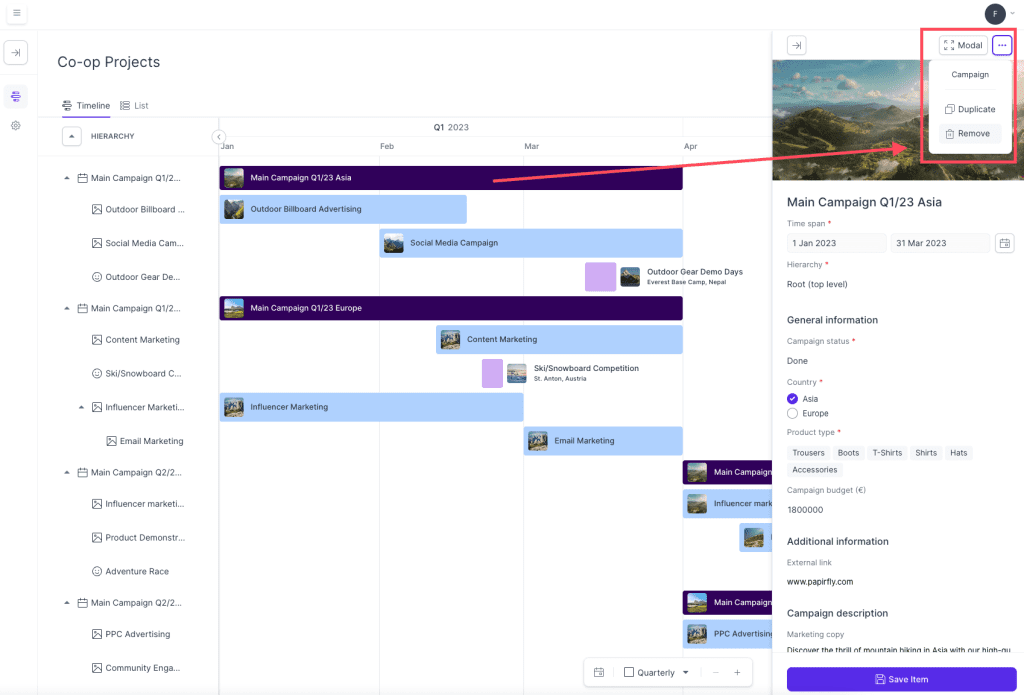
- Locate the campaign in the Co-op projects overview that you would like to remove
- Click on the campaign and a new window will appear on the right hand side of the page
- In the top right corner of this window, click on the three dots, and a drop-down menu will appear
- In this drop-down, click Remove
- You have now removed an campaign
Option two:
This method is quicker than the first, but it can cause you to accidentally remove an activity you were not meant to remove. We suggest you use the method above to ensure you remove the correct activity.
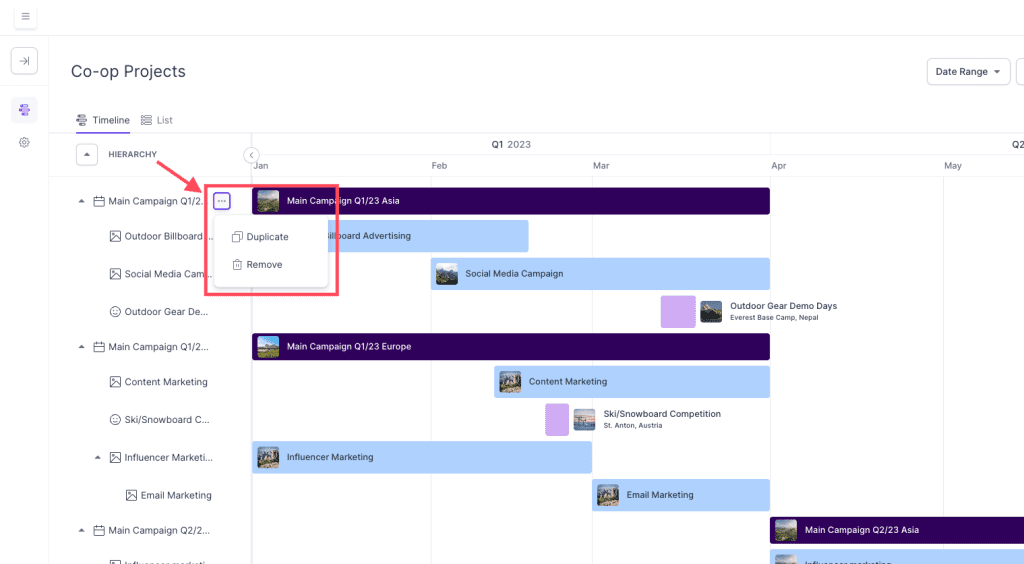
- Locate the campaign in the Co-op projects hierarchy list that you would like to remove
- Hover over the campaign in the hierarchy and three dots will appear next to the name of it
- Click on the three dots and a small pop-up window will appear next to it
- Click Remove
- You have now removed a campaign
Comments
0 comments
Please sign in to leave a comment.