
On this page
To change the hierarchy of an campaign, follow these steps:
- Locate the campaign in the Co-op projects overview that you would like to edit the hierarchy
- Click on the campaign and a new window opens on the right hand side of the page displaying the details of the campaign
- In this window, select the hierarchy for the campaign under the area called Hierarchy
- Click on Save item as soon as you have added/adjusted the hierarchy
- You have now changed the hierarchy
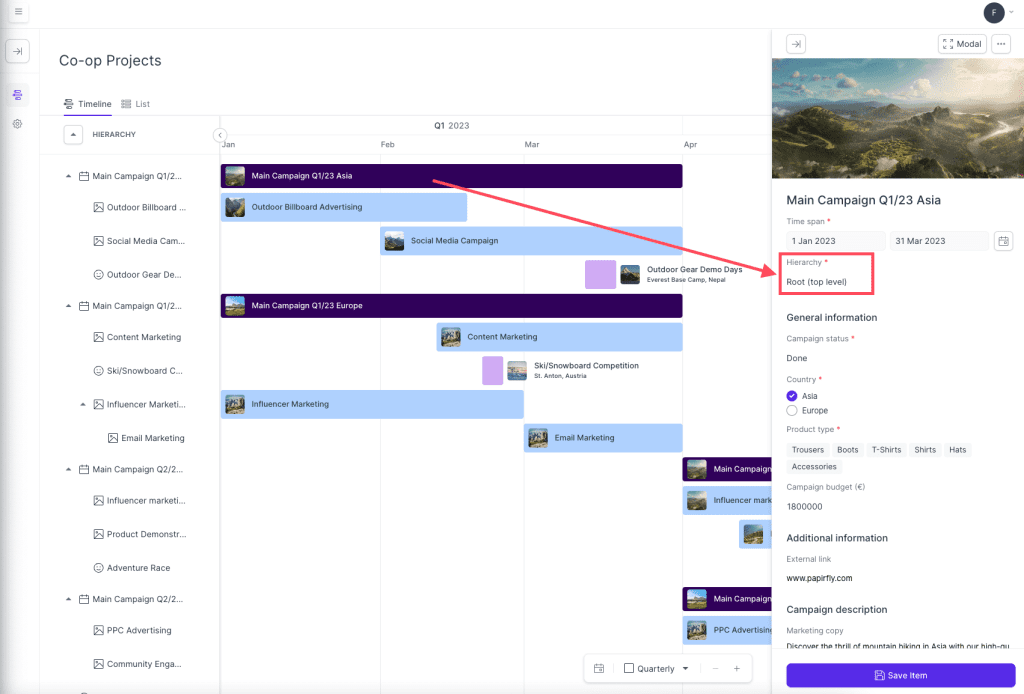
Note: Adding a campaign under a hierarchy places the campaign under the hierarchy in the overview. It can also change the colour of the campaign if this has been configured in the settings. See how the sub-campaign are under the hierarchy and have a different colour in the screenshot above.
Comments
0 comments
Please sign in to leave a comment.